

What it is
ollama is a project that makes artificial intelligence models easy to run on your own machine. It began in 2023 as a command-line tool aimed at developers who wanted to try models such as Llama without dealing with servers or complex setups. Over time it has matured into something broader: an API that imitates the style of OpenAI’s, a growing library of models you can pull down in seconds, and recently, a desktop app with a clean interface.
What started as a niche tool for technically minded people has become one of the friendliest ways to experiment with AI locally.
Visit the official site.
What’s new
Ollama has stepped beyond the terminal with a clean desktop app for macOS and Windows, making it easy to install, run, and switch between models with a few clicks.
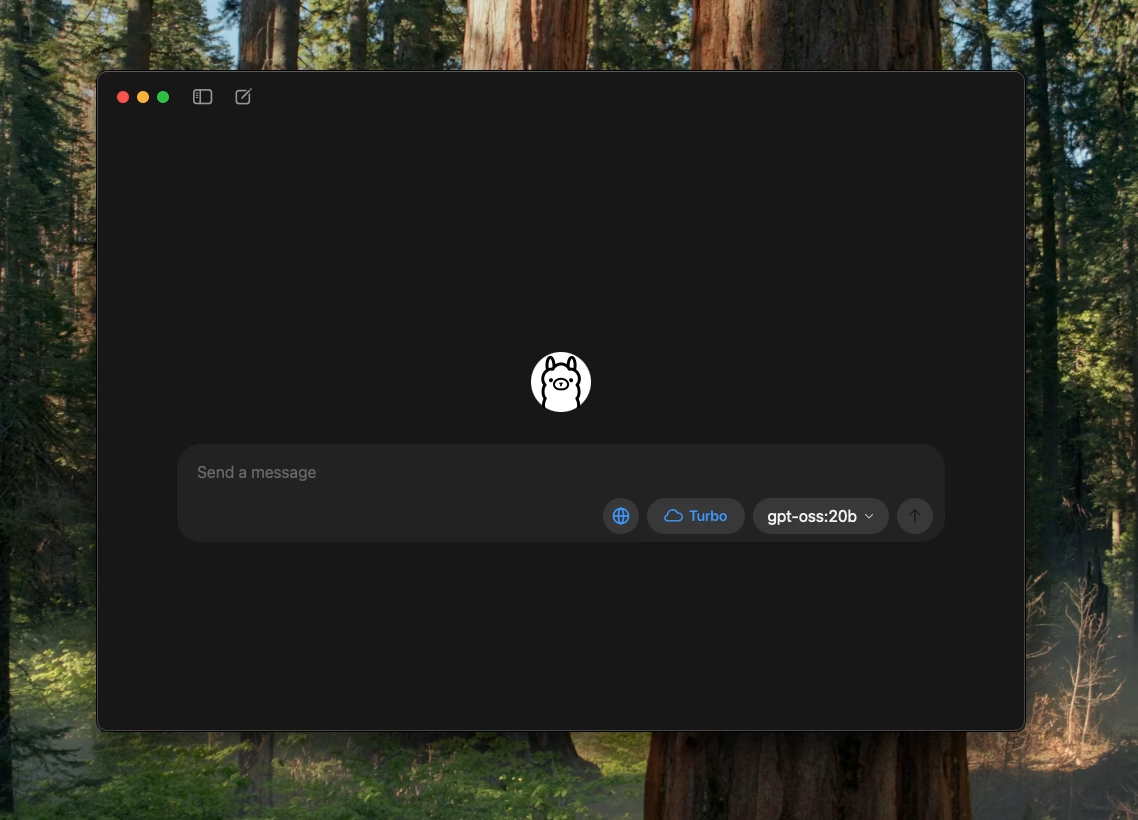
Recent adds some practicality: you can now drag and drop PDFs, text, or code into a chat, feed in images with multimodal models like Gemma 3, and even adjust the context window size to handle larger documents. Performance gains continue quietly in the background (overlapping CPU/GPU work, faster flash-attention, and snappier chat switching) so things just feel quicker.
The model library has grown too, with additions such as EmbeddingGemma for semantic tasks, alongside the familiar Llama, Mistral, and Gemma families.
Ollama is also experimenting with Turbo, an early preview of their upcoming cloud inference service, currently free to try with GPT-OSS models.
What else is similar to it
There are other tools in this space. LM Studio offers a desktop app that looks and feels quite similar, with an easy way to download and try models. GPT4All is another approachable option, positioned as a privacy-first chatbot that works offline on ordinary laptops. At the other end of the spectrum is llama.cpp, a high-performance engine in C and C++ that underpins many of these friendlier interfaces, though it appeals more to tinkerers than casual users.
Why it’s different
Ollama’s appeal lies in its simplicity. You can be chatting to a model within minutes of downloading, and you don’t need a cloud account or an internet connection once the model is installed. Its app is clean, its command-line is clear, and its local API means you can point other software at it as though you were using a hosted service. The licence is MIT, which makes it open, adaptable and free to use. What makes this especially compelling is that Ollama has built up an ecosystem of integrations, so that frameworks like LangChain or Spring AI can work with it immediately.
How to get started
Choose a tab for what you need next. Work through the steps in order, then use the checks if you get stuck.
- Download Ollama for your operating system from its official website and open the app after installation.
- Choose a small local model first: models need storage and memory, and the first download can take a while.
- Open Terminal or PowerShell if you want to use the command line.
- Run
ollama run llama3.2and wait for the model to download. - At the prompt, type a question such as “Explain photosynthesis in two sentences.”
- A reply in the terminal means the model is running. Type
/byeto leave the conversation.
- If the command is not found, restart the terminal after installing Ollama.
- If your machine slows down or runs out of memory, stop the model and choose a smaller one; model sizes and requirements vary.
- Local models and cloud-hosted models have different privacy and billing implications; check which one you selected.